Call log — read and listen back to every conversation
The call log is the page you will spend the most time on. Every conversation Mia picked up sits here with its time, duration and outcome — and can be read word for word, rather than leaving you to rely on a summary.
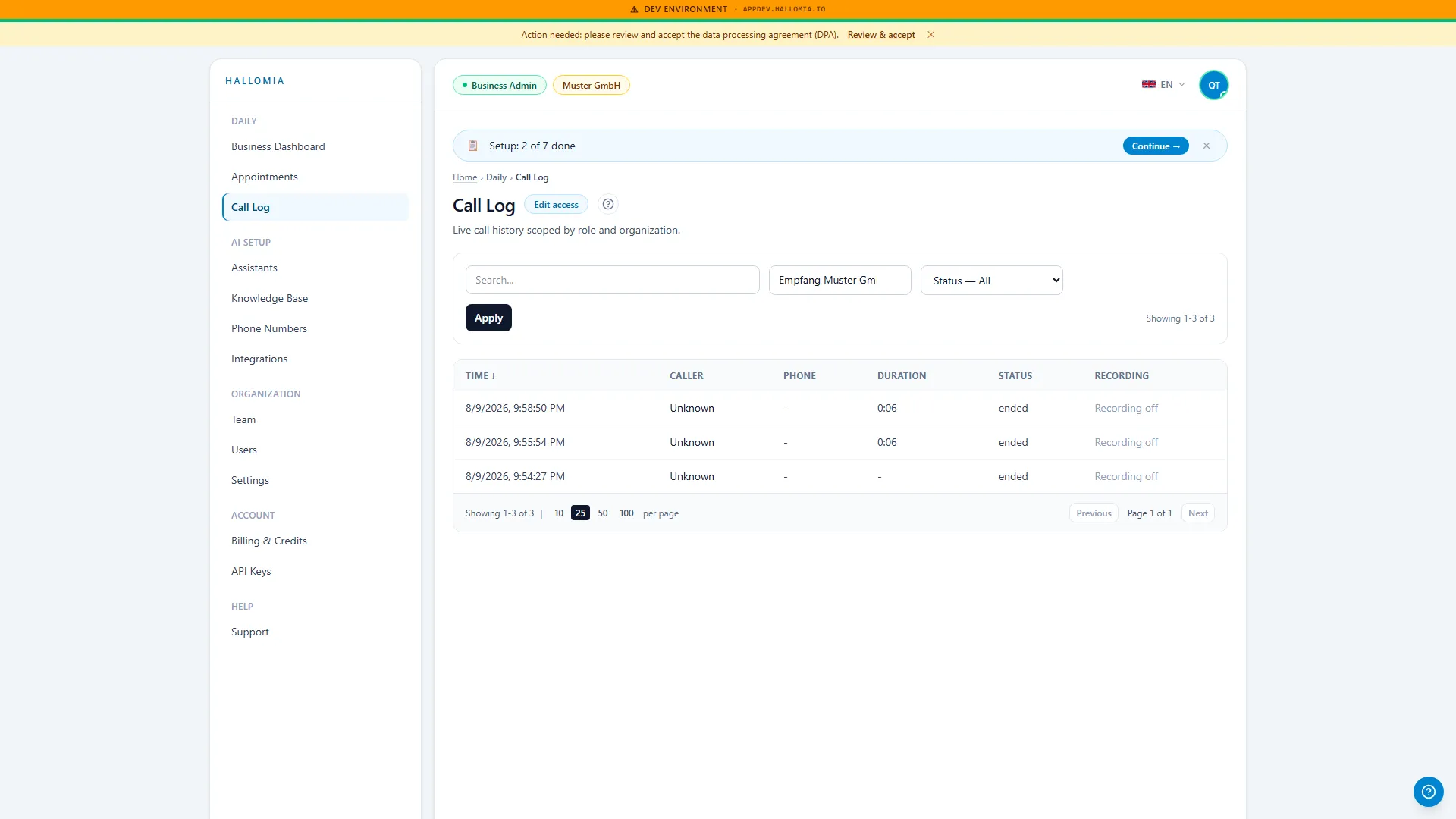
What is in the call log?
Section titled “What is in the call log?”The log lists your incoming calls with the time, the duration and what came of them — a booked appointment, say, or a request for a call back. Clicking an entry opens the call detail with the full transcript and, where recording is enabled for that assistant, the audio.
What can I do from here?
Section titled “What can I do from here?”- Read a conversation word for word — the transcript shows both sides, not just the summary.
- Listen to the recording to judge tone and clarity.
- See whether an appointment came out of it, and move across to Appointments.
- Spot the phrasings Mia struggles with and sharpen the conversation guide under Assistants.
How soon does a call appear after the conversation?
Section titled “How soon does a call appear after the conversation?”A call appears once the conversation has ended and been processed — usually moments later. So an entry can briefly be missing right after someone hangs up. If the log stays empty despite calls coming in, Call log is empty works through the causes in order.
Why do some calls have no recording?
Section titled “Why do some calls have no recording?”Call recording is a per-assistant setting and is subject to your own configuration. If it is not enabled, no file is created by design — that is your decision, not a fault. Recordings are also only delivered to signed-in members of your company; there is no public link. If the player will not start even after signing in, see Recording won’t play.
How do I use the log to make Mia better?
Section titled “How do I use the log to make Mia better?”In the first week, read every call through once. Two patterns emerge quickly: the questions Mia answers well, and the ones she deflects. The latter belong in the knowledge base or as a rule in the conversation guide — every addition takes effect from the next call, with nothing to set up again.