Settings — company details and the basics
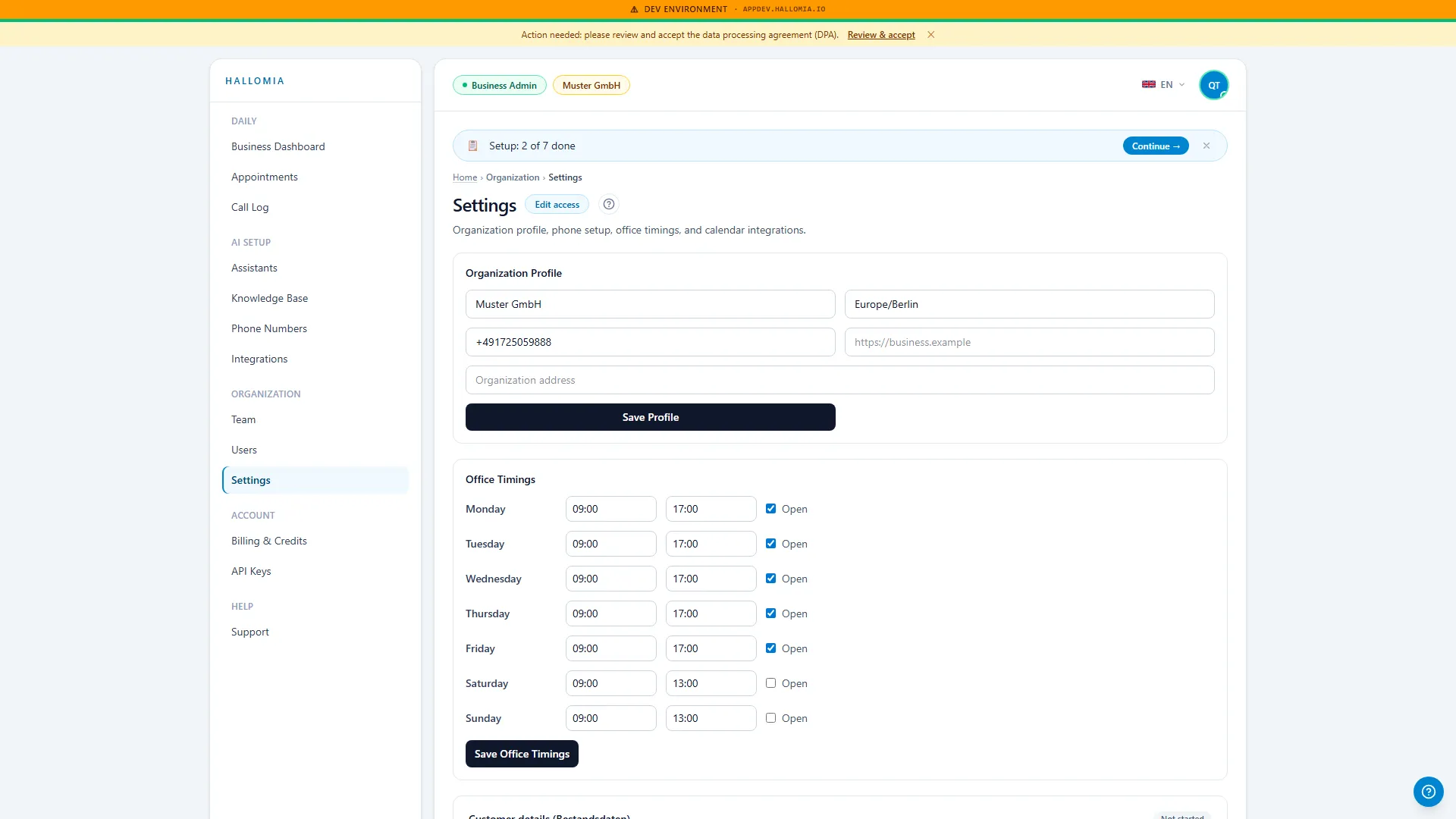
Settings holds the details that apply to your whole organisation: your company data and the basics the other pages build on. It is the page you fill in once and rarely open again — which is exactly why it is worth revisiting after anything changes in the business.
What lives under settings?
Section titled “What lives under settings?”Your organisation’s details — name, contact information, and the base settings that apply across every assistant and every team member. Anything that concerns only one assistant lives under Assistants instead.
What can I do from here?
Section titled “What can I do from here?”- Update company details when the name or address changes.
- Maintain contact information used in notifications.
- Check the basics before you let the first real call through.
- See what applies organisation-wide when a setting is not where you expected it on the assistant.
Why do these details show up in calls?
Section titled “Why do these details show up in calls?”Because Mia speaks on behalf of your company. If the company name is out of date or a contact detail is wrong, the caller hears it — and it reads as unprofessional, even though the actual cause is one line in a form that was never updated. After a rename or a move, this page belongs on the checklist.
What do I change here versus on the assistant?
Section titled “What do I change here versus on the assistant?”The rule of thumb: what is true of your company lives here; what Mia says or does lives on the assistant. So opening hours, services and the conversation guide belong to the assistant, while company name and address belong here. If you are hunting for a setting in one place, it is usually in the other.
When should I check this page again?
Section titled “When should I check this page again?”After any change that would also affect your company register entry or your letterhead — and once before you let the first real call be answered. Both take a minute. Getting a wrong detail back out of calls, invoices and notifications later takes considerably longer.