Setting up notifications
Notifications are the real reason for the app. Without them you would have to go and look; with them, you simply find out.
What does the app alert me to?
Section titled “What does the app alert me to?”Five events, each switchable on its own:
| Alert | When it arrives |
|---|---|
| New call | Your assistant handled a conversation. |
| Missed call | A call could not be answered. |
| Appointment booked | A conversation produced an appointment request. |
| Callback requested | A caller would like to be called back. |
| Low credit | Your allowance is running out. |
Tap an alert and the app opens that conversation directly — you do not land on a home screen and go hunting for the call.
How do I switch individual alerts off?
Section titled “How do I switch individual alerts off?”In the app under Settings → Notifications. Every row has its own toggle.
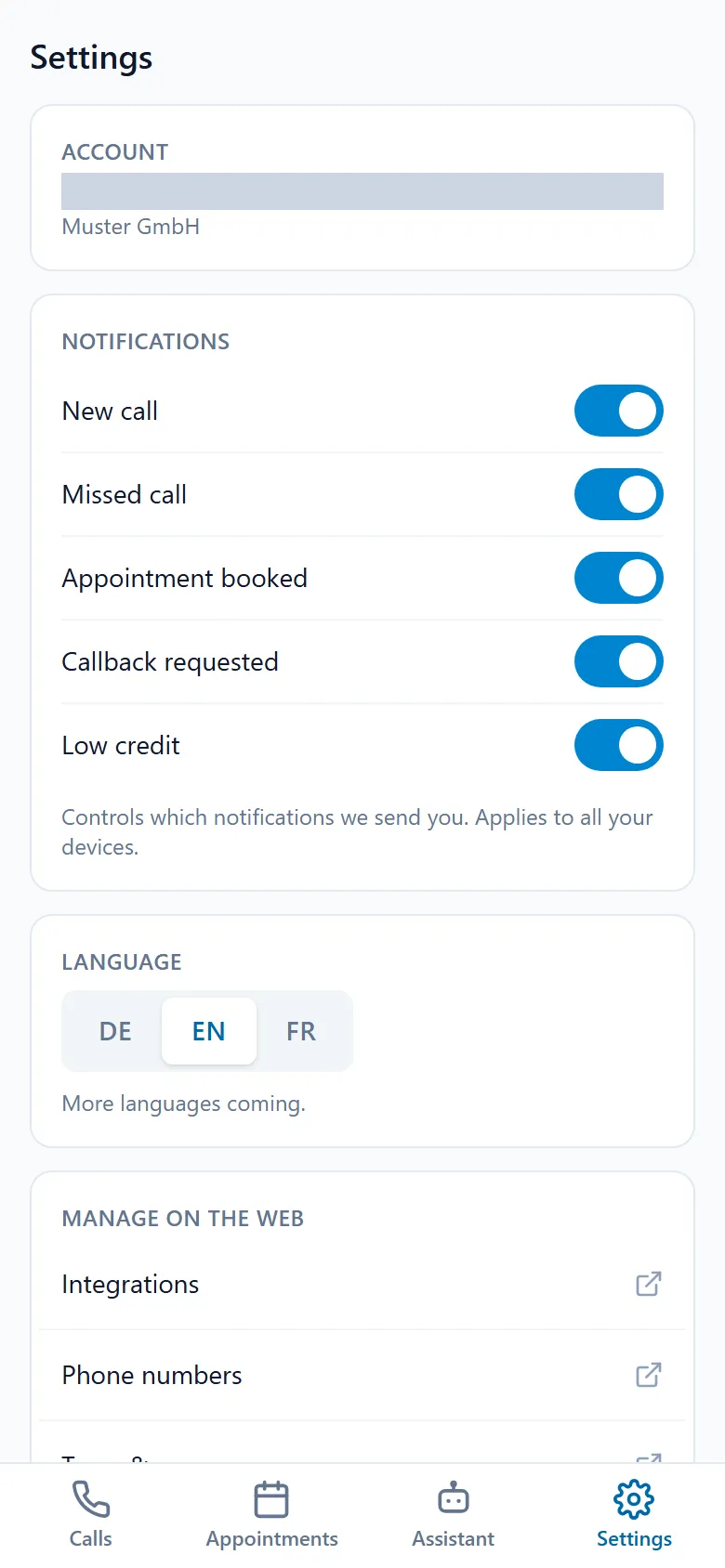
This choice applies across all your devices. Switch “Missed call” off on the iPhone and it stays quiet on the tablet too. That is intentional — otherwise you would have to make the same decision several times.
Nothing arrives at all — why?
Section titled “Nothing arrives at all — why?”Almost always one of two places. Check them in this order:
- Your device’s permission. Open your phone’s settings under Notifications → HalloMia and make sure notifications are allowed. If you declined on first launch, the app does not ask a second time.
- The toggles in the app. Under Settings → Notifications the event in question has to be switched on.
Also check whether a focus or do-not-disturb mode is active, and whether your device lets the app work in the background — some Android manufacturers restrict this for power-saving on their own.
Why does the app alert me about a call I answered myself?
Section titled “Why does the app alert me about a call I answered myself?”Because the alert belongs to the conversation, not to your phone. Once a conversation has been recorded and processed, the entry appears in the call list — and with it the alert. If you would rather not have that, switch “New call” off and keep only the events where you actually have something to do.
Do I get emails or text messages as well?
Section titled “Do I get emails or text messages as well?”That is a different thing, and it is set per assistant: Email after call and SMS after call in the Assistant area. Push alerts reach your device; email and SMS reach your inbox and your phone number. All three can be switched on and off independently.